
What is Read AI?

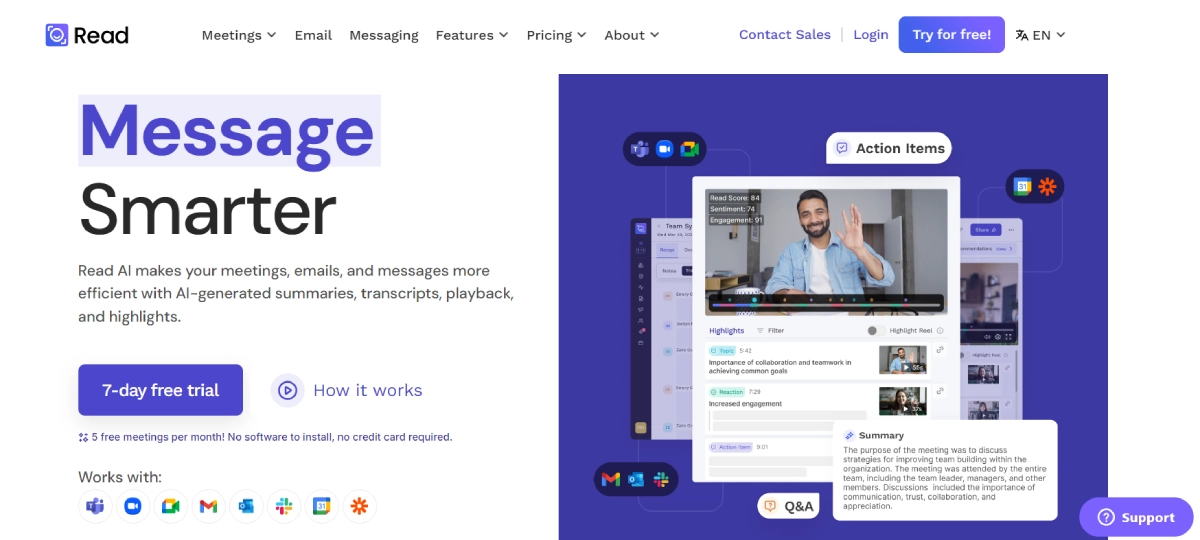
Read AI streamlines communication for teams and professionals by automatically generating meeting summaries, transcripts, and actionable insights. It integrates with platforms like Zoom, Teams, and Google Meet to provide easy-to-digest information, saving time and boosting productivity. With real-time meeting insights and simplified collaboration, users can focus on essential tasks without getting overwhelmed by repetitive work. Ideal for remote teams, educators, and professionals seeking efficient workflow management, Read AI enhances productivity by ensuring important details are captured and accessible across various communication channels.
Read AI Features

  • Meeting Summaries: Get instant summaries of meetings with action items, key questions, and discussion topics.
  • Transcription: Accurately transcribe meetings in multiple languages for easy reference.
  • Smart Scheduler: Schedule meetings effortlessly using personalized links and intelligent scheduling.
  • Uploads: Easily upload audio or video files for quick meeting recaps.
  • Integrations: easily integrate with popular platforms like Zoom, Google Meet, Teams, Outlook, and Slack.
  • SOC II Certified Security: Ensure data protection and compliance with top-notch security protocols.

Read AI Pricing

Paid Plan

  • Free: Free – Basic meeting measurement, summaries, transcription, and 5 meeting reports/month.
  • Pro: $19.75/month – Unlimited meetings, team reporting, integration with Slack, Zapier, Webhooks. 100 minutes free upload credits/month.
  • Enterprise: $29.75/month – Meeting playback, highlight reels, premium support. 200 minutes free upload credits/month.
  • Enterprise+: $39.75/month (10-license minimum) – Advanced security (SSO, SAML), customized data deletion. 300 minutes free upload credits/month.

Use Cases

  • During a virtual team meeting, the tool automatically summarizes the discussion points so remote team members can quickly catch up and stay aligned.
  • When managing multiple projects, the tool helps track action items, questions, and decisions made in various meetings, ensuring nothing falls through the cracks.
  • After a client call, the tool records and summarizes the conversation for easy sharing with team members, generating reports, and planning follow-up actions efficiently.
  • Students and teachers use the tool to automatically transcribe lectures and summarize meeting notes, helping them stay organized and focused on learning goals.
  • When dealing with complex email threads, the tool condenses the information into a concise summary, making it simpler to manage and respond to important messages effectively.

Pros:

  • ✅ Seamless integration with major platforms like Zoom, Google Meet, and Slack.
  • ✅ Real-time feedback during meetings and conversations.
  • ✅ Multi-language support and accurate transcription services.
  • ✅ Offers both free and paid plans to cater to different user needs.
  • ✅ Secure and compliant with SOC II standards for data protection.

Cons:

  • ❌ Limited free meeting summaries (only 5 per month).
  • ❌ Advanced features like playback and highlight reels are locked behind the Enterprise plan.
  • ❌ Requires a 10-license minimum for Enterprise+ plan, which may not suit smaller teams.

Read AI Alternatives

Find Active Sponsors by Budget, Industry, and Engagement

Paid

Summarize Long Text in Seconds with Chat Support

Free

Read, summarize, and chat with any PDF in seconds

Free

Online PDF Summarizer for Fast, Accurate Summaries

Paid